GymUp
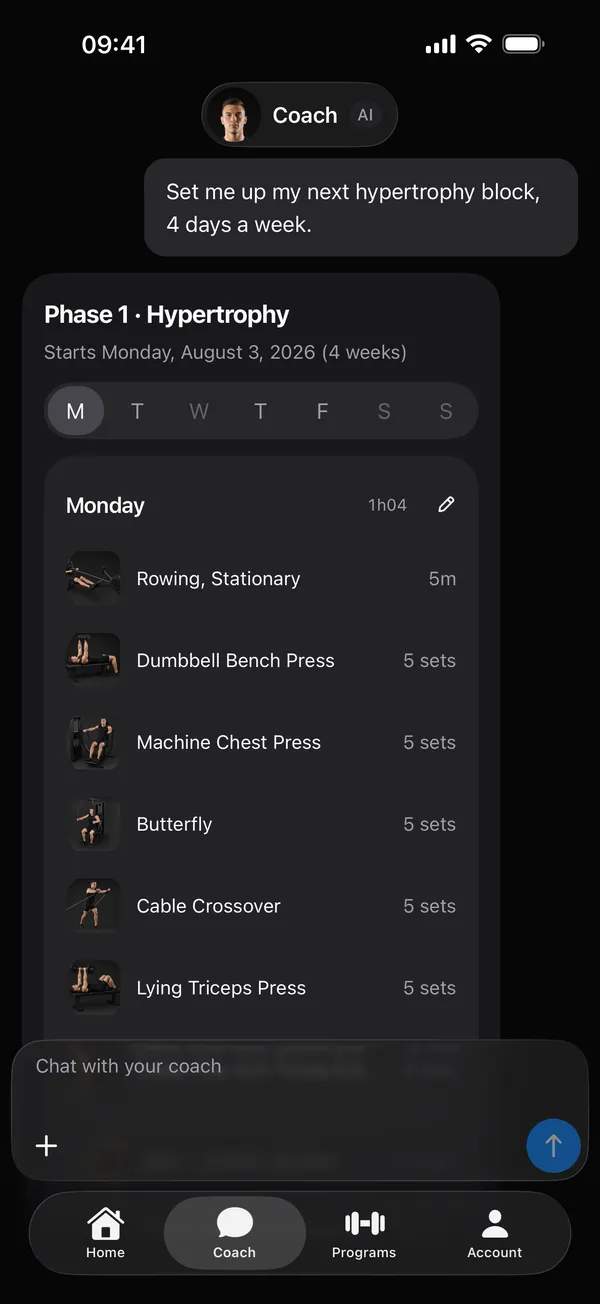
is an AI strength coach for iPhone and Android. Every set comes with its reps, a tempo and an RPE, fitted to your schedule and equipment. Ask it in chat to swap an exercise or explain a choice.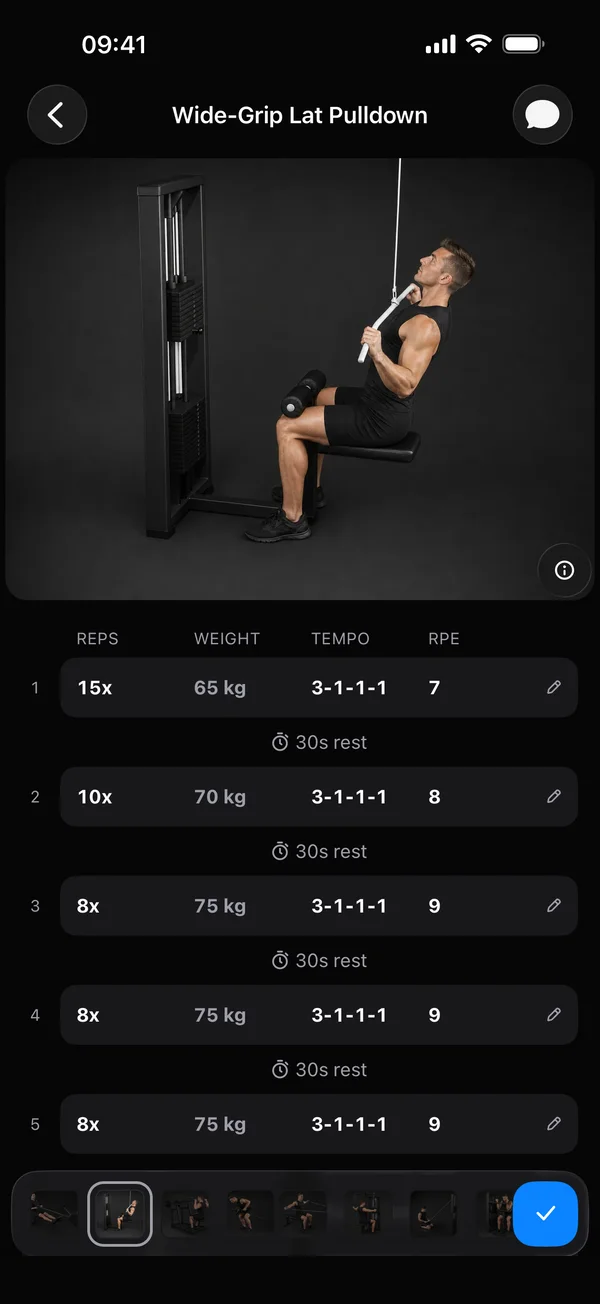
Every set has a tempo and an RPE
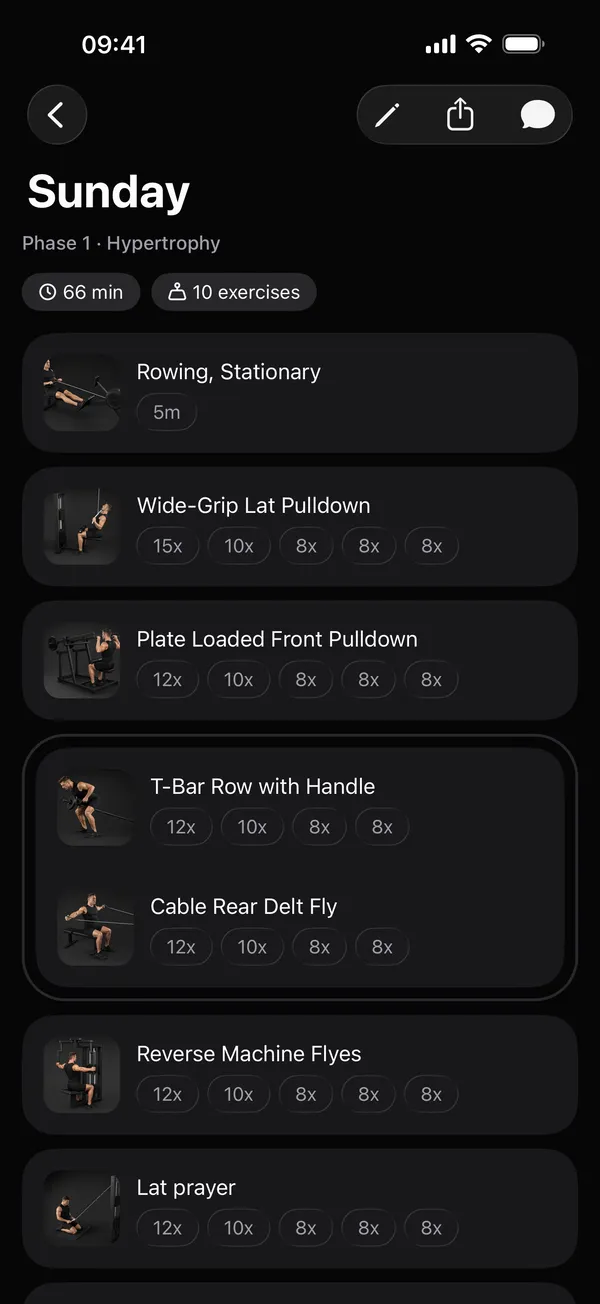
Your program states, for each exercise, the sets, the reps of each set, a tempo and an RPE, and the rest between sets. The weight beside each set is what you lifted on it last time, so you know where to start.
It comes from a real coach’s system
Exercise selection, sequencing, sets, reps, RPE and tempo come from one professional coach’s real programs, not internet averages. Programs cycle through hypertrophy, strength and deload phases, so you never guess when to back off.
Your AI coach is a chat
Ask it to swap an exercise, move a session or explain a choice. Every change waits for your approval before it touches your program.
You see your program before you pay
Answer a short quiz: your training days, your equipment and the exercises you like or want to skip. GymUp shows you the program it built from your answers before you choose a plan.
It works with your AI assistant
GymUp’s MCP server lets Claude, ChatGPT, Cursor or any MCP client read your program, log sessions and move a deload. Connect an assistant.
Move tomorrow’s deload, I’m feeling strong.
Pricing
- GymUp Pro MonthlyBilled every month$14.99 a month
- GymUp Pro Annual7-day free trial, 67% less than monthly$59.99 a year
One subscription, sold in the app. These are US App Store prices; your store shows the price in your currency.
FAQ
Can I try it before paying?
Yes. The annual plan starts with a 7-day free trial, and you see your program, generated from your answers, before you pay. GymUp is one subscription, GymUp Pro.
Where do the programs come from?
From a professional coach’s programs: the exercise selection, sequencing, prescriptions and phase cycles, fitted to your schedule, equipment and preferences.
Does it work if I train at home?
Yes. You tell GymUp what equipment you have and it programs exercises you can do with it.
Which phones does it run on?
iPhone and Android. Your account and subscription live in the app.
How do I cancel?
From your App Store or Google Play subscriptions, like any in-app subscription. The account guide has the steps.
More in the docs and the account and subscription guide.
Get your program
Answer the quiz in the app and see the program it builds for you before you choose a plan.


iPhone and Android. 7-day free trial on the annual plan.